
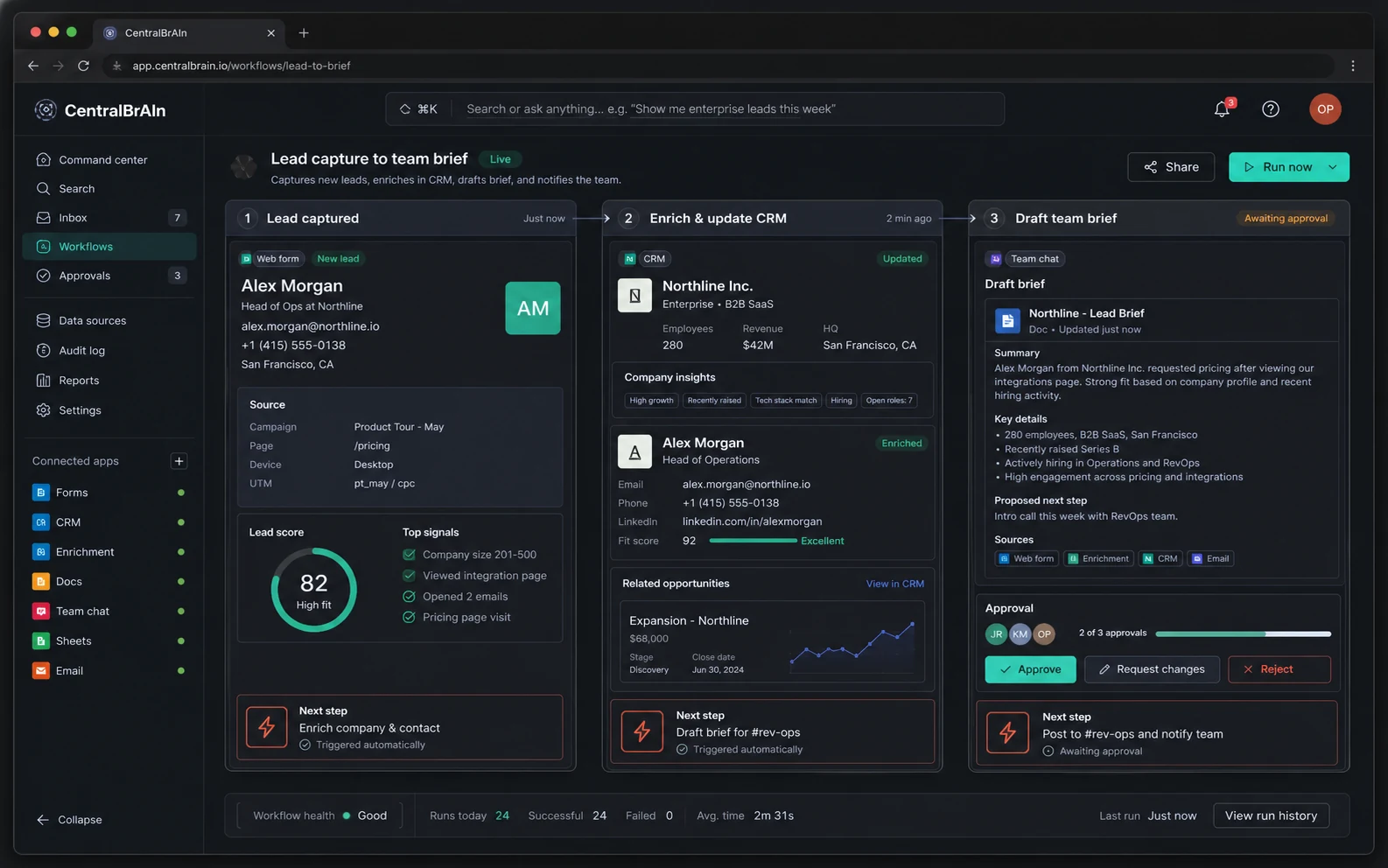
Lead to brief
Workflows become visible instead of scattered across tabs.
A captured lead moves through enrichment, CRM update, team brief, and approval without making a human act as the bridge.
Capture, enrich, brief, approve
CentralbrAIn connects your CRM, billing, comms, docs, and project tools so your team can ask for a result, review the plan, approve the action, and search the full trail later.
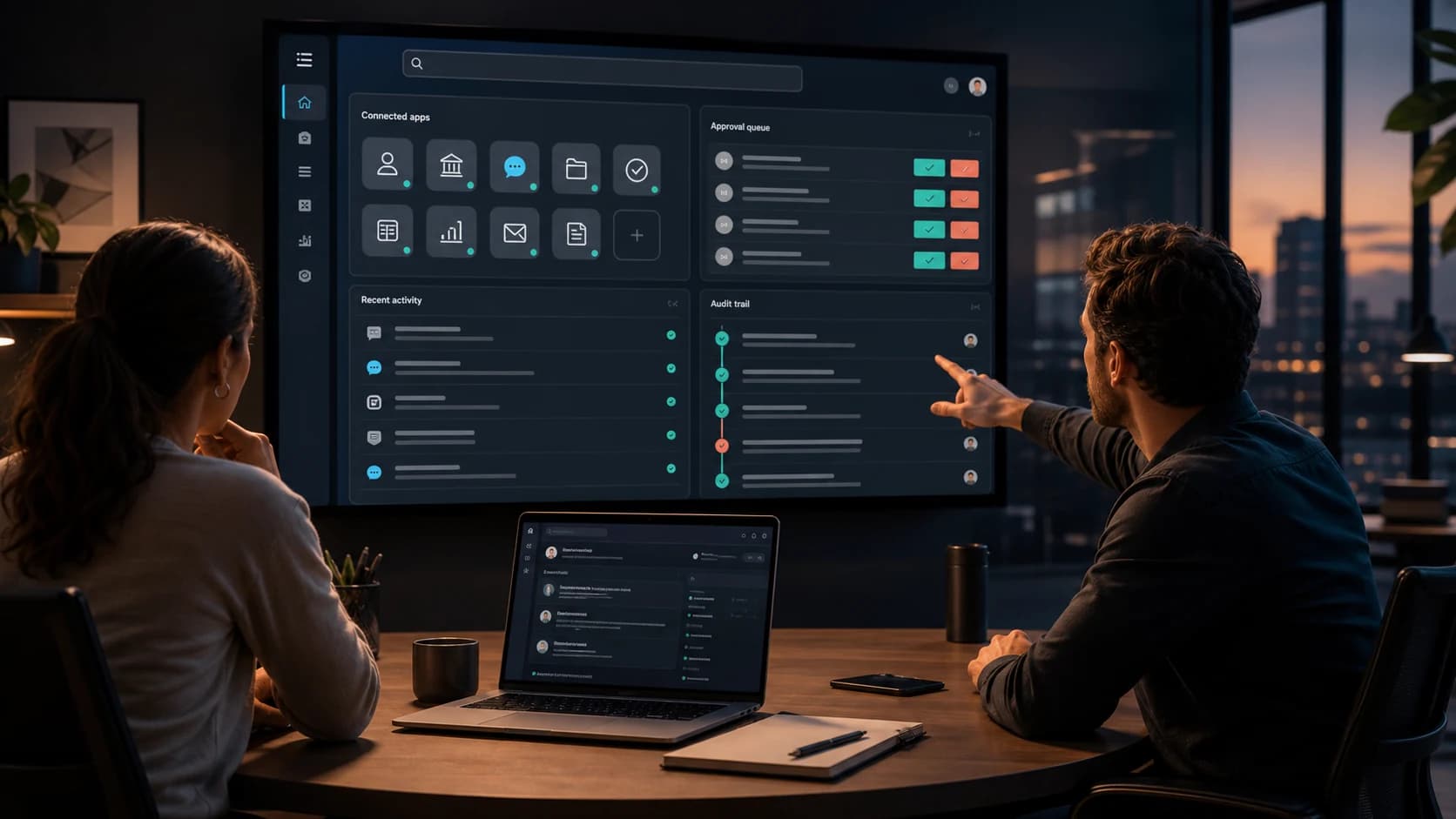
Search across systems
CRM, finance, docs, chat, and tasks
Approve the risky moves
Sends, refunds, deletes, and official updates
Search the trail later
Every read, draft, and action is logged
Buyers should be able to see the system at work: searchable context, connected tools, approval control, and the full trail behind each action.
A captured lead moves through enrichment, CRM update, team brief, and approval without making a human act as the bridge.
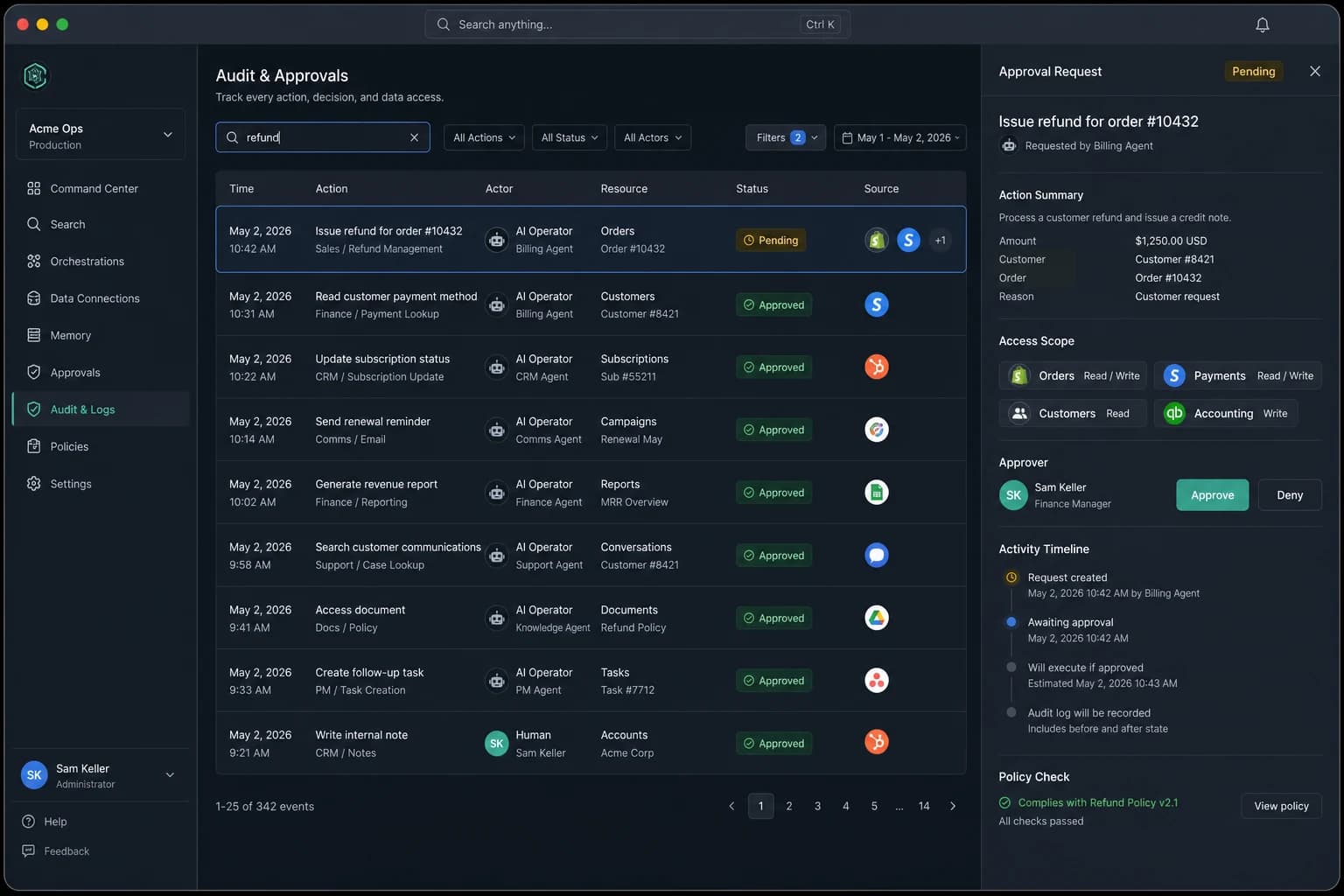
Approvers can see the request, scope, policy check, and timeline before anything executes. The audit trail is part of the product, not an afterthought.

CentralBrAIn prepares the invoice follow-up, the manager reviews it on phone or laptop, and the team keeps a clean record of what changed.
CentralbrAIn is built for the annoying work that lives between apps. It finds the context, prepares the action, and keeps humans in control where judgment matters.
Every workflow stays searchable
Ask what happened, who approved it, which system was touched, and why.
Before
Someone enriches it, checks the CRM, writes notes, and tells sales.
With CentralbrAIn
CentralbrAIn enriches, scores, routes, updates HubSpot, and drafts the Slack brief.
Before
Finance jumps between Stripe, email, and the account record.
With CentralbrAIn
CentralbrAIn checks payment history, drafts a reminder, and asks before sending.
Before
Ops searches threads, docs, and tickets to build a weekly update.
With CentralbrAIn
CentralbrAIn pulls the current state, cites the sources, and files the follow-up tasks.
Think of it as a command layer over your company. Search company memory, coordinate across systems, and act with approvals your team can trust.
MCP bridges give CentralbrAIn structured access to CRM records, billing data, docs, messages, tickets, and custom systems.
The operator decomposes the task, checks permissions, gathers context, and shows the proposed route before taking action.
Routine reads and drafts move fast. Sends, deletes, refunds, and official updates wait for the right human approval.
The protocol handles tool access. CentralbrAIn handles policy, approvals, memory, and accountability.
These are the places CentralbrAIn becomes useful first: the repeatable handoffs where a searchable operator can remove real work from the week.
500+ standard bridges
Custom legacy connectors for Enterprise systems.
Leads become clean records and routed opportunities without a human copy-paste loop.
Example
Enrich a new lead, score fit, update the CRM, and tell the right account owner.
Questions, briefs, updates, and approvals move in the channels your team already uses.
Example
Ask for an Acme brief and get a sourced summary with owners and next actions.
Payment recovery and cash-flow checks stop living in spreadsheet archaeology.
Example
Find overdue invoices, draft reminders, and flag accounts that need approval.
Company memory becomes searchable, cited, and useful inside daily work.
Example
Answer a support question from the current docs and cite the policy paragraph.
Customer issues and internal decisions turn into owned tasks with a visible trail.
Example
Create the ticket, assign the owner, propose the deadline, and log the source.
The pitch is not "let the AI do anything." The pitch is controlled execution: clear access, approval checkpoints, and logs your team can search when the stakes are high.
Audit search
Give the operator access to the folders, channels, accounts, and tables it needs. Keep the rest out of reach.
Read scope: finance-renewals
Let CentralbrAIn research and draft quickly, then require approval for sends, deletes, refunds, and official updates.
Maya approved at 10:18
Every read, search, draft, tool call, approval, and error is logged so operators can explain what happened later.
Audit query: Acme renewal
Run shared secure cloud, isolated private cloud, or dedicated Iceland-hosted infrastructure for sensitive customers.
Region: Iceland option
Higher tiers are not just more connectors. They add more control, faster data, and stronger approval systems for higher-stakes work.
A focused pilot for a small team that wants searchable answers and read-only visibility across a few core systems.
A practical operating layer for smaller teams that need summaries, drafted actions, and a clearer daily workflow.
For teams that need limited write actions, approval queues, heavier usage, and reliable operational reporting.
A custom deployment for sensitive or complex organizations that need sovereign hosting and bespoke bridges.
Higher tiers buy you risk control, speed, and power, not just more apps.
| Feature | Starter | Pro | Business | Enterprise |
|---|---|---|---|---|
Action power What the AI is allowed to do on your behalf. | Read-only researcher | Researcher+ (notes & drafts) | Coordinator (limited write) | Operator (full execution) |
Human-in-the-loop Safety dashboard and approval mechanics. | Slack alerts | Slack alerts + drafts | Approval queue with one-click sign-off | Governance rules, spend caps, and role gates |
Intelligence speed How fast the Brain responds under load. | Standard processing | Standard+ priority | High-speed dedicated pipes | Ultra-low latency, custom-tuned |
Data freshness How current the Brain's view of your business is. | Hourly sync | Hourly sync | Real-time streaming | Predictive pre-fetch |
Hosting & sovereignty Where your data physically lives. | Shared secure cloud | Shared secure cloud | Isolated VPS | Air-gapped server in Iceland |
Custom bridges Connecting unusual, legacy, or in-house systems. | Top 500 apps | Top 500 apps | Top 500 apps | Custom legacy connectors |
Support Who you talk to when something needs attention. | Email + Slack | 24/7 Slack | Dedicated architect |
In the first 90 days, we measure hours reclaimed, manual handoffs removed, approval times, and the workflows that should be tuned next. If the system has not paid for itself in efficiency, we keep working until it does.
The best buyers ask about control, not magic. These are the questions we expect serious teams to bring up first.
Talk to a human architectA 15-minute infrastructure audit. We look at your stack, find the handoffs that cost the most time, and show where CentralbrAIn would fit.
Design partner program open for Q2